The whole summer,
one screen.
Every kid, every week, every registration deadline, every form, every dollar — on one coverage grid. So February registration morning stops being a panic attack.
Free for one kid, on your device. Kids are a nickname + age band — never names, birthdays, or photos.
- Private
- Nothing about your kids ever leaves your device
- Free to start
- The coverage gridKids as rows, weeks as columns, gaps glow gently.
- Deadline countdowns"Registration opens in 12 days" — on screen, in time.
- Forms & budgetEvery checklist and every dollar, tallied live.
- Child-data-freeNicknames + age bands only. On your device. Always.
Gaps that glow, never judge.
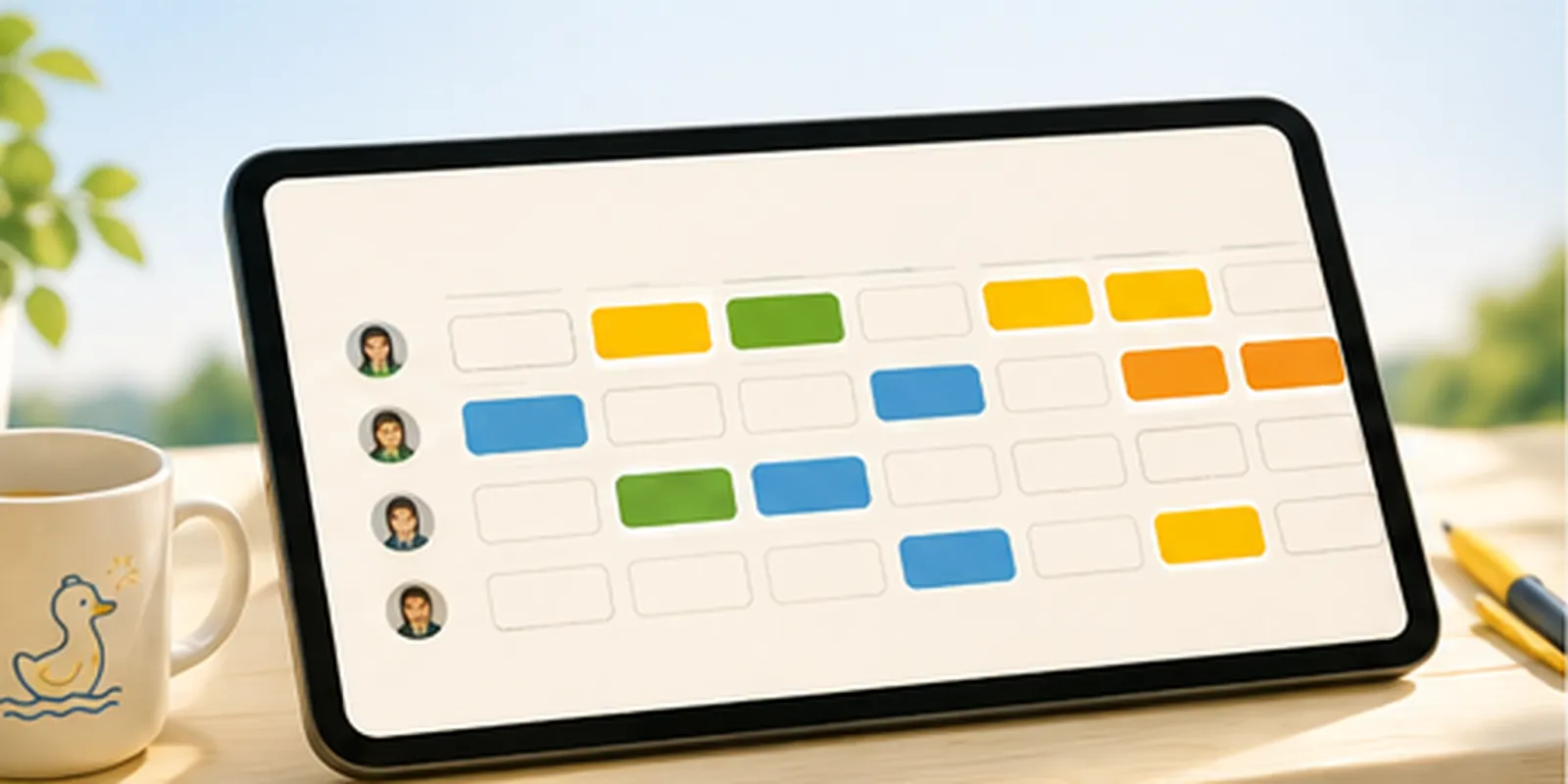
Kids as rows, weeks as columns. Sessions land as soft colored chips, multi-week camps stretch across, and every open week glows gently until it's covered — or claimed on purpose as the best week of the summer.
Ducklings, weeks, done.
Line up the ducklings
Add each kid as a nickname and an age band — "Bug, 6–8" is all CampQueue will ever know. Pick your summer dates.
See the whole summer
The grid renders instantly: kids as rows, weeks as columns, every uncovered week glowing gently. A gap is information, not failure.
Fill it, watch it close
Tap a glowing week, add the camp session — dates, cost, registration-open countdown, forms. The chip pops in, and when a week's gaps close, CampQueue celebrates with you.
Everything the spreadsheet did, without the spreadsheet.
The summer grid
The signature view. Sessions land as soft colored chips; multi-week camps stretch across; open weeks glow until they're covered — or claimed as chosen downtime.
Camp cards
Dates, cost, drop-off and pickup times, the registration-open date with a live countdown, and a forms checklist per camp — pre-loaded with the standard packet.
The deadline list
Every registration-open date, unpaid balance, and unfinished form in one countdown list, soonest first. The panic attack, defused in January.
The budget tally
Per kid and total, paid and still-owed — live as you plan. The four-figure summer finally exists on a screen that adds it up, before you commit to it.
Week plans
Open any week: who's where, drop-off and pickup times, what to pack (seeded from honest checklists), carpool notes — and a print-ready plan for the fridge.
Pip, the planning coach
Camp-choosing questions, overnight readiness, water and sun safety, deadline tactics — answered from a graded, cited knowledge base, free, on your device. AI add-on optional
Your kids aren't data. So we don't take any.
Nickname + age band. That's everything.
Kids in CampQueue are exactly two things: a nickname you choose ("Bug", "Moose") and an age band ("6–8"). No legal names. No birth dates. No school. No photos. There is no field to put them in, on purpose.
And everything — kids, camps, sessions, budgets, notes — lives in your browser on your device. Nothing about your family is transmitted anywhere, ever. There are no accounts and no family database to breach.
The AI coach never receives kid data — structurally
The free coach runs entirely on your device. The optional AI planner sends only your question plus the retrieved knowledge cards — and the server endpoint rejects by design any request carrying kid or family fields. Not "we promise not to look." The door doesn't exist.
A planner, not a registrar
CampQueue never registers your kid, holds a spot, or moves money. "Registered" and "paid" chips record what you did with the camp — the real thing always happens with the camp itself.
I missed the good camp by four days.
One February morning I opened my laptop to register our oldest for the camp she'd asked for all year — and it was full. Registration had opened the week before. Nobody told me; I just hadn't been counting down to the right morning.
So I did what a lot of parents do: a giant spreadsheet. Kids across the top, weeks down the side, camps and costs crammed in the cells. It worked, barely, until the summer we spent somewhere north of four figures on camps and I realized nothing anywhere added it up before I committed.
CampQueue is that spreadsheet, made kind. It counts down to the registration mornings, adds up the real number, and — because your kids aren't data — it holds nothing about them but a nickname and an age band, all on your device.
— Mike, Apps 4 That
Less than one camp t-shirt for the whole summer.
Free
- One kid, the full coverage grid
- Camp cards with registration countdowns
- The deadline list
- Pip's knowledge-base coach
- Everything on your device
Family Season Pass
- All your kids on one grid
- The live budget tally — per kid and total
- Forms checklist per camp, standard packet included
- Carpool & week notes
- Print / export week plans for the fridge
One season, one price, the whole family. No subscription needed for the planning itself.
AI Summer Planner
- Conversational answers, same cited cards
- Age-fit camp-mix thinking for your bands
- Coverage-gap finder with buffer-week doctrine
- Packing-list help per session type
- Never receives your kids' data — by design
Straight answers.
What exactly do you store about my kids?
A nickname and an age band, in your browser's storage on your device. That's the entire data model — there are no fields for names, birth dates, schools, or photos. Nothing is transmitted to us or anyone else. Clearing your browser data deletes your plan; we can't recover it because we never had it.
Does CampQueue register my kid for camps?
No. It's your planning board: it tracks the sessions, deadlines, forms, and costs, and counts down to registration mornings. The actual registering, paying, and form-submitting happens with each camp, where it always did — just no longer from memory.
Is a gap in the grid a problem?
No — and the app will never nag you about one. A gap is information: maybe it needs coverage, maybe it's the best week of the summer. Pediatric guidance is genuinely on the side of unstructured time; Pip can show you the sources.
What does the AI planner send to the server?
Your question text plus the retrieved knowledge cards used for grounding — nothing else. The endpoint structurally rejects requests carrying any other fields, so kid data can't be sent even by accident. The free coach never makes a network call at all.
Why a season pass instead of a subscription?
Because camp planning is a season, not a lifestyle. $19 covers your family for the summer you're planning. The only subscription is the optional AI add-on, and the planning tools never require it.
February, handled in January.
Line up the ducklings, paint the grid, and watch the gaps close. Free, on your device.